More accessible and consistent header navigation
This change will be rolled out to all users on 27th September.
Why are we making this change
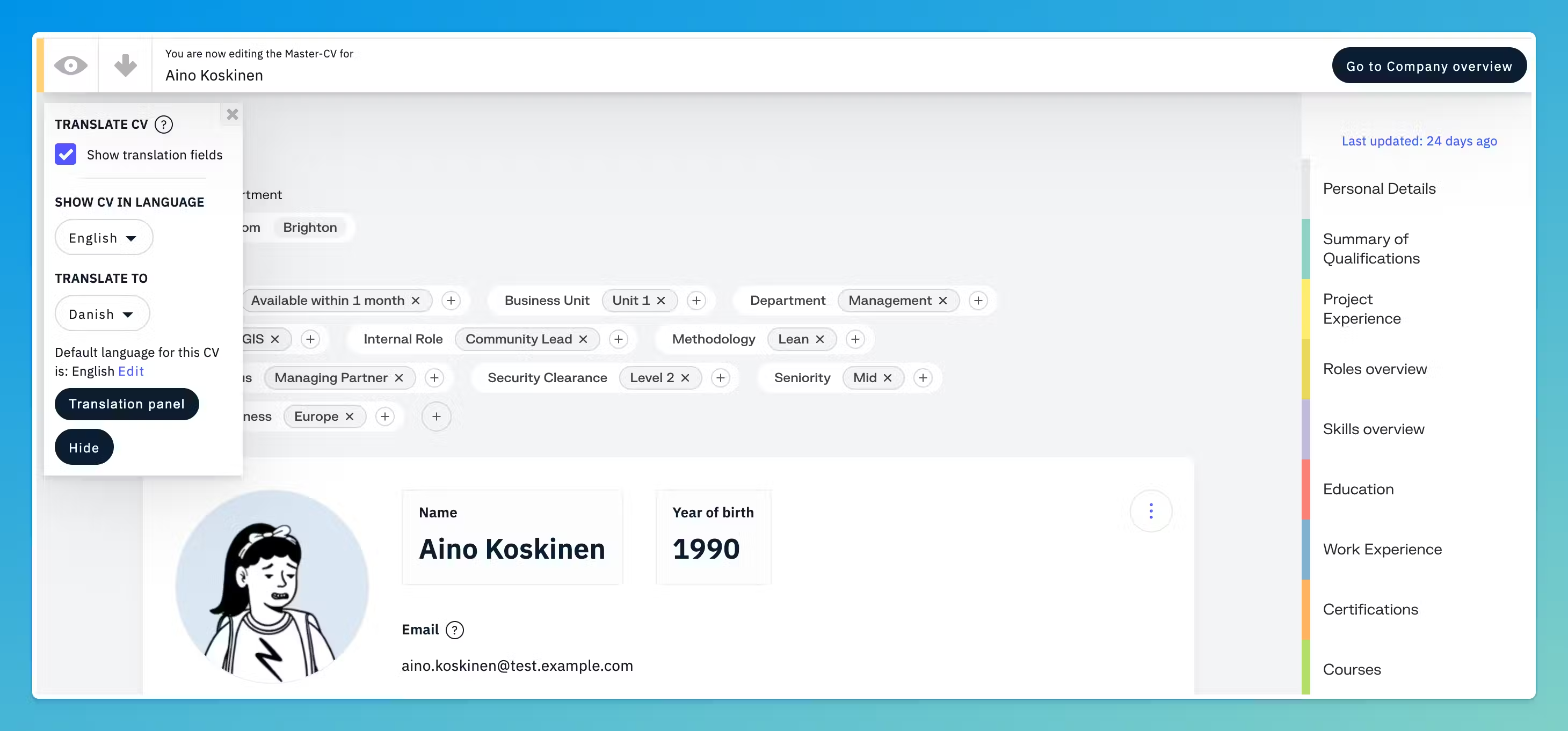
CVs, proposals and reference projects each had their own top bar. The same actions sat in different places with different labels, and icons were unclear without a corresponding label. Now there is one header to learn. We have added breadcrumbs (Home > Subsection > CV) to show where you are, with easy access to parent pages. Nothing changes in how you edit a CV or a project. Every action from the old headers is still there.
What's changing?
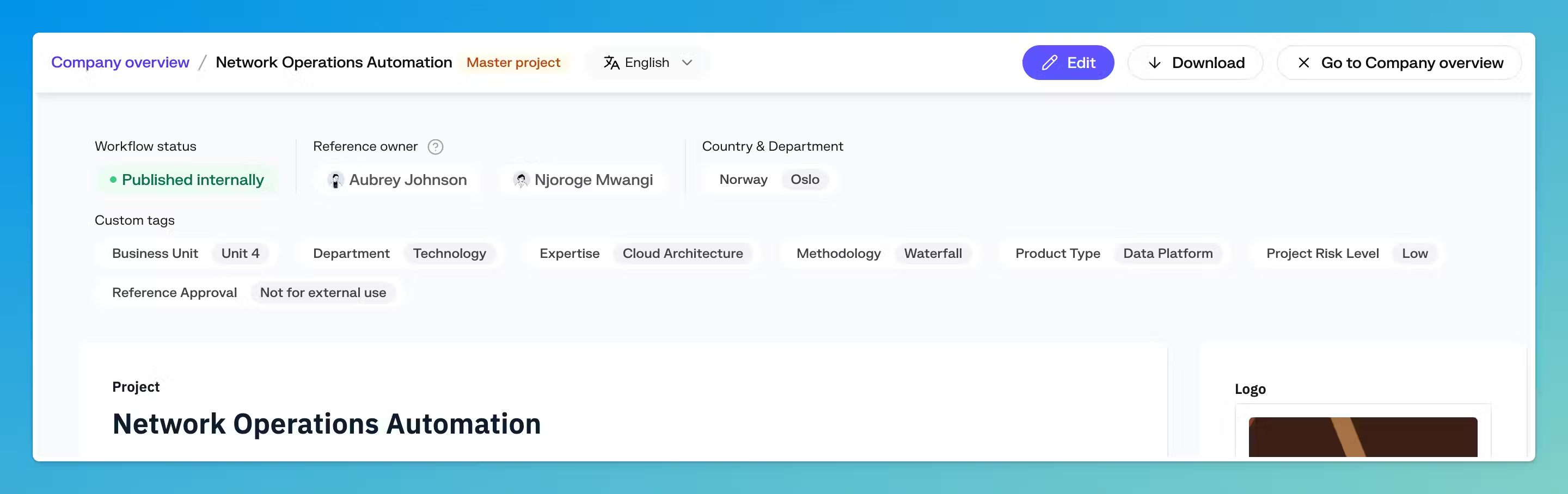
Open a CV, a reference project, a proposal or a project and you will now see the same header at the top.
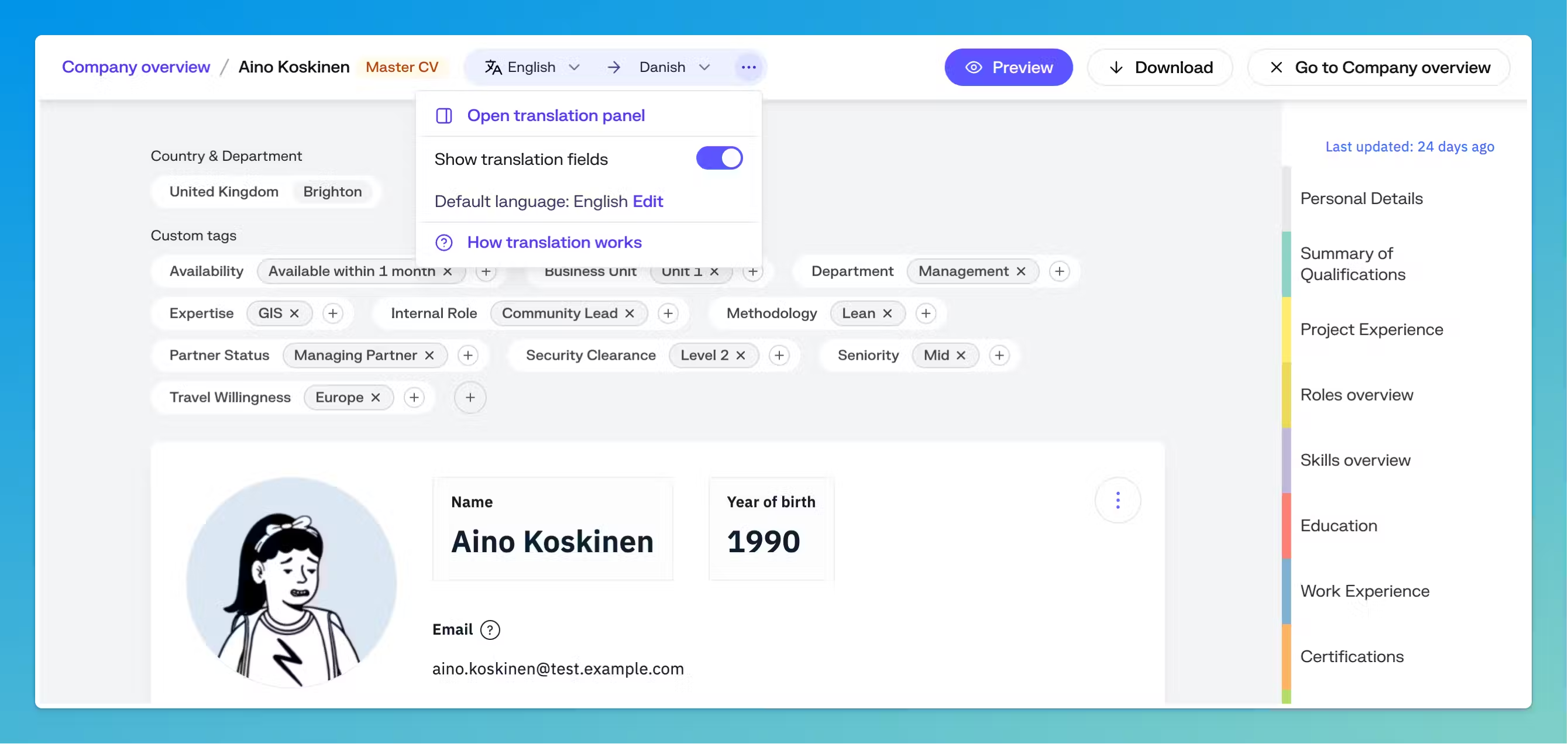
The breadcrumbs tell you where you are, lets you jump between the CVs and projects in a proposal, and keeps Preview, Download and the other actions in one predictable spot. The master versions are now also more emphasized.
Next to the breadcrumbs you see the language you are viewing and, when translation fields are shown, the language you are translating into. The other translation options, including the new translation panel is located under the three dots . Read more about the translation panel
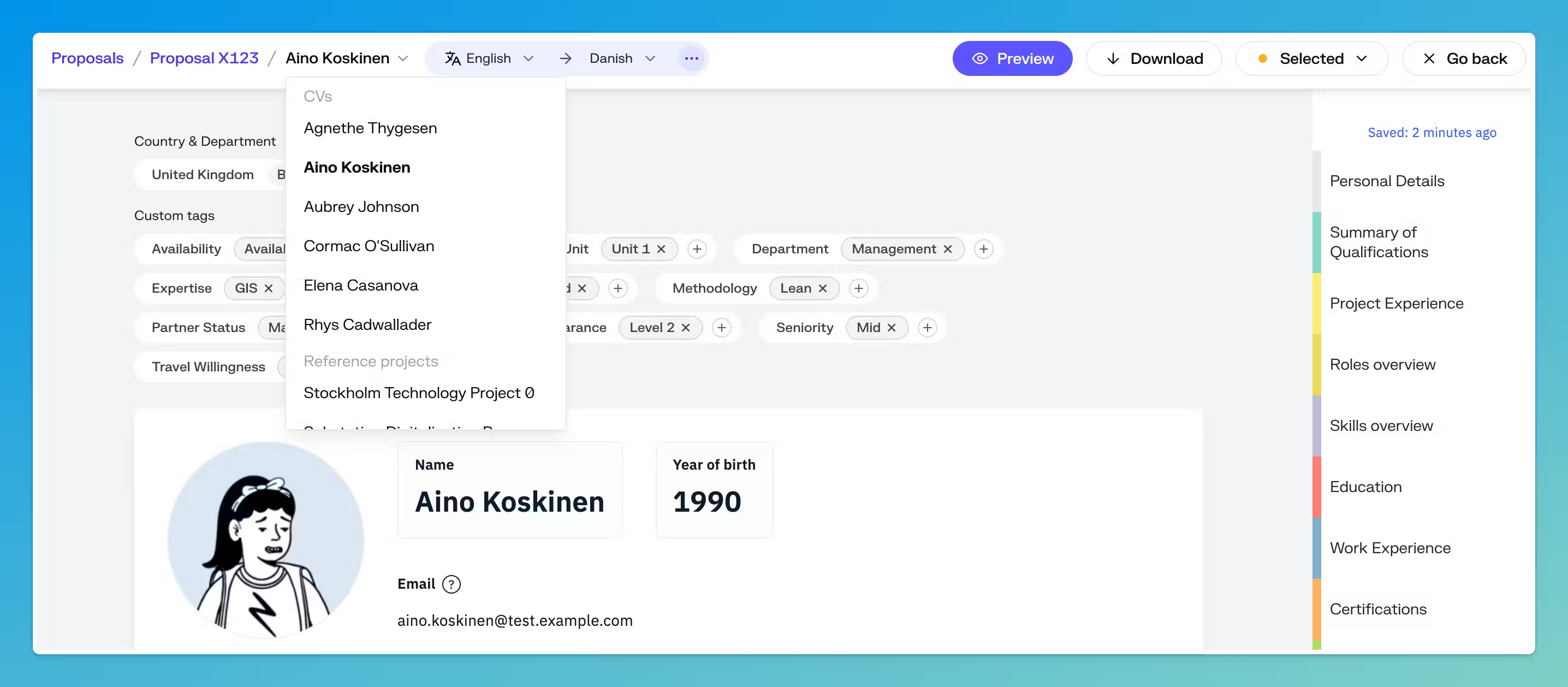
In a proposal, the name in the trail is also a dropdown. Open it to move to any other CV or reference project in the same proposal without going back to the proposal page.
The old navigation for comparison: