
Introducing the Translation Panel
You can now translate a CV or a reference project directly from a new Translation Panel. It's one click to generate a full translation of the data, and the changes land in a review step where you decide what gets saved.
PS: You need the data assistant activated to use the autotranslation functionality.
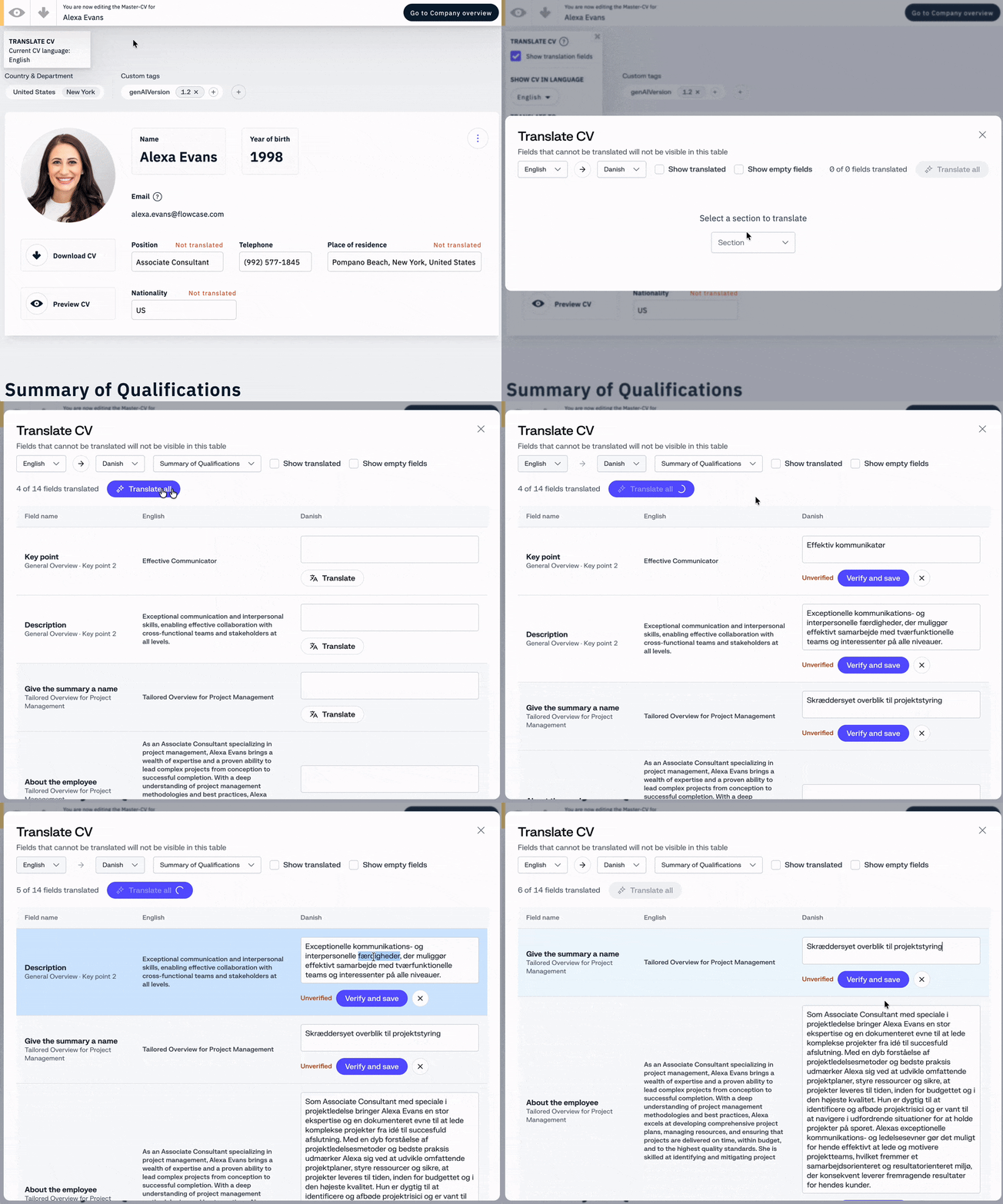
How it works
Open the panel, pick your target language, and hit translate. The panel generates a translation for the whole record and presents each change side by side with the original. Nothing is written until you verify it, so you stay in control of every field before it becomes part of the profile or project.
For CVs:
You find the translation panel on the top left translation menu.
For Reference projects:
You find the translation panel under the "options" menu on the top navigation bar.
Why we designed it this way
Translation is one of the most common things people ask us for. Some want a "Translate All" button that translates everything with no further review. Others want documents translated automatically on export, so translated data never has to be maintained at all.
In theory these requests make sense, and with AI now available we understand why they keep coming up. We've all grown used to typing a question and getting a useful answer in seconds. When the results look good, it's easy to assume they always are.
But at Flowcase, data isn't just data. It's a record of someone's background and experience. It needs to be factual and precise. Translating it well is what makes it understood in another language and culture.
AI is good enough that we start assuming it's always right. At first we review the output carefully; over time we stop looking as closely. There is a good deal of research on this pattern, called automation complacency, where trust in a system grows faster than its reliability.
We build it so that even the largest organizations can rely on us to help their people meet their goals with their trust intact.
That's why the Translation Panel keeps the one-click experience people asked for, but adds a verification step before anything is saved. It's close to what you wanted, and it's compliant.